
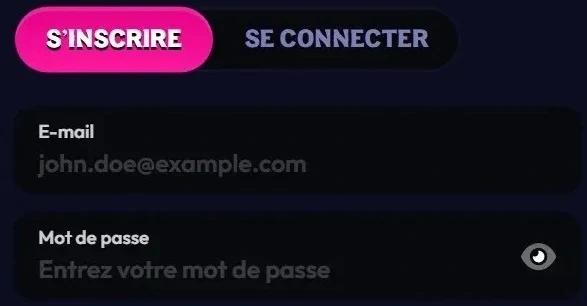
Wildzy login gives you access to your account, your games and your payments from a computer or smartphone. Everything happens in the browser, with no software to install.
Logging in on desktop
Accessing your account requires the credentials chosen at sign-up. The process takes just a few steps:
- Open the Wildzy site in your browser.
- Click the login button.
- Enter your credentials.
- Confirm to access the Slots, Live Games, Sports Betting and Promotions sections.
Logging in on mobile
On a smartphone, logging in follows the same path: the site runs directly in the browser, with no app to download.
- Open your phone's browser.
- Go to the site.
- Tap the login button and enter your credentials.
- Add a shortcut to your home screen for future visits (see the app page).
No account yet?
You need an account before your first login: the process is described on the registration page.
Forgotten credentials
If you lose your credentials, human assistance takes over 24/7, in French or English.
- Open live chat from the site, or email support@wildzy.io.
- Describe the access problem you are experiencing.
- Follow the team's instructions to regain access to your account.
Account security
Account protection relies on several mechanisms described in the platform's policies. Device and IP address information is used for account security and to combat illicit activity. Customers and transactions are monitored continuously using a risk-based approach (SDD, CDD, EDD). In the event of a suspicious transaction, the platform may restrict the service, payments or withdrawals until sufficient identification is provided.
Compromised account
If transactions you did not make appear, report them straight away. A refund request sent to support@wildzy.io within 24 hours of the transaction is reviewed within 7 working days at most; the amount goes back to the original payment method.
Good practice
- Choose a unique password used only for this account.
- Never share your credentials.
- Log out after each session on a shared device.
- Use a card in your own name: the cardholder and the account holder must be the same person.
Login problems and solutions
Most access issues have an identifiable cause.
| Situation | Effect | Solution |
|---|---|---|
| Credentials rejected | Unable to access | Check what you typed, then contact chat or support@wildzy.io |
| Cool-off active | Login and withdrawal possible, deposits and wagers blocked | Wait until the chosen period ends (1 to 48 hours) |
| Self-exclusion in progress | Access to gaming suspended, new account prohibited | Wait until the exclusion period ends |
| Chargeback without prior contact | Possible account suspension or closure | Contact support before any bank dispute |
| Withdrawal blocked | Identity verification required | Provide the requested documents; the review usually takes 48 hours |
| Transaction deemed suspicious | Possible restrictions on the service or payments | Contact support@wildzy.io |
After logging in
Once logged in, several control tools are available:
- deposit and wager limits over a period of 24 hours to one week;
- loss limits;
- session length limit;
- cool-off of 1 to 48 hours;
- access to your gaming history.
Login FAQ
The most frequent questions about accessing your account.
Do I need an app to log in?
No, you log in through the browser, on desktop and mobile alike.
What should I do if I forget my credentials?
Contact live chat, available 24/7, or email support@wildzy.io.
Can I log in during a cool-off?
Yes: logging in and withdrawing your balance remain possible, but not depositing or wagering.
Can I open a second account during self-exclusion?
No, creating a new account is prohibited for the entire period.
Does support reply in French?
Yes, assistance is available in French and English.
For adults only. Gambling involves financial risk: set limits and take breaks.