
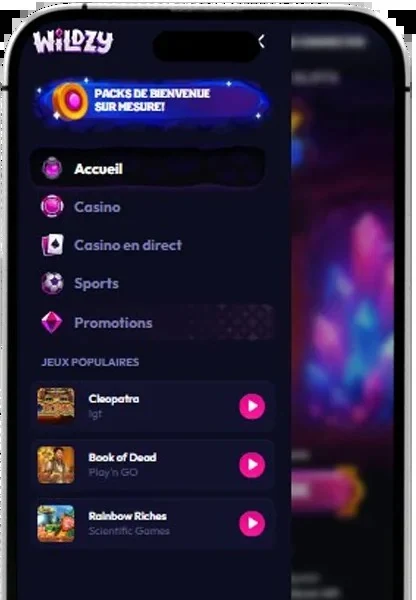
The Wildzy app takes the form of the site itself, opened in your smartphone or computer browser. All games run directly from the browser, with no software to download.
A mobile casino in the browser
The platform has opted for instant play: slots, live casino and sports betting open in a web page. This format has several practical advantages:
- no file to install on the device;
- no app store to browse;
- a single account for desktop and mobile;
- the same version of the site on every screen.
No download
The site states it clearly: there is no need to download any software. You open the site, log in and play. No updates need running on the device: the online version is the one you use.
What Wildzy casino offers on mobile
The browser version gives access to the platform's sections: slots, live games, sports betting, promotions and the prediction market.
Available features
- Bonuses: activation via the “Get” button.
- Support: live chat with human assistance 24/7.
- Responsible gambling: deposit, wager, loss and session length limits, cool-off of 1 to 48 hours, gaming history.
- Predictions: 43 markets and 20 popular events (politics, crypto, sport).
Mobile or desktop: comparison
Both devices rely on the same browser access.
| Criterion | Mobile | Desktop |
|---|---|---|
| Access | Smartphone browser | PC browser |
| Download | None | None |
| Account | Same credentials | Same credentials |
| Updates | Site-side | Site-side |
| Support | 24/7 chat | 24/7 chat |
Adding a shortcut on Android
A home screen shortcut opens the site in one tap. This feature belongs to the browser, not to a downloaded app.
- Open the Wildzy site in Chrome.
- Tap the menu (three dots) at the top right.
- Select “Add to Home screen”.
- Confirm the shortcut name.
- Launch the site from the new icon.
Adding a shortcut on iPhone
On iOS, the same operation is done via Safari.
- Open the site in Safari.
- Tap the share icon.
- Choose “Add to Home Screen”.
- Confirm with “Add”.
Compatibility
An up-to-date browser and an internet connection are all you need to access the site.
| Device | Access |
|---|---|
| Computer | Browser, instant play |
| Smartphone | Mobile browser, instant play |
Account security on mobile
Security rules are the same on every device. The platform collects device and IP address information for security purposes and to combat illicit activity. Every withdrawal request triggers identity verification, usually reviewed within 48 hours. Account checks follow a risk-based approach (SDD, CDD, EDD).
- Keep your credentials to yourself.
- Log out on a shared device.
- Report any transaction you did not make straight away: the refund request must reach support@wildzy.io within 24 hours.
Display problems: what to do?
As the site runs in the browser, most adjustments are made on the device.
Troubleshooting steps
- Check your internet connection.
- Reload the page.
- Update the browser.
- Clear the browser cache.
- If the problem persists, open live chat or email support@wildzy.io.
App FAQ
The most frequent questions about mobile play.
Do I need to download an app?
No. All games run in the browser, with no software to install.
How do I update the mobile version?
No action is needed: the site loads directly in the browser.
Can I reach support from a smartphone?
Yes, live chat answers 24/7, and support@wildzy.io remains available.
Is my account the same on mobile and desktop?
Yes, you use the same credentials on all your devices.
For adults only. Gambling involves financial risk: set limits and take breaks.